Your November RA and the PSA Year 2 Increase: What to Check
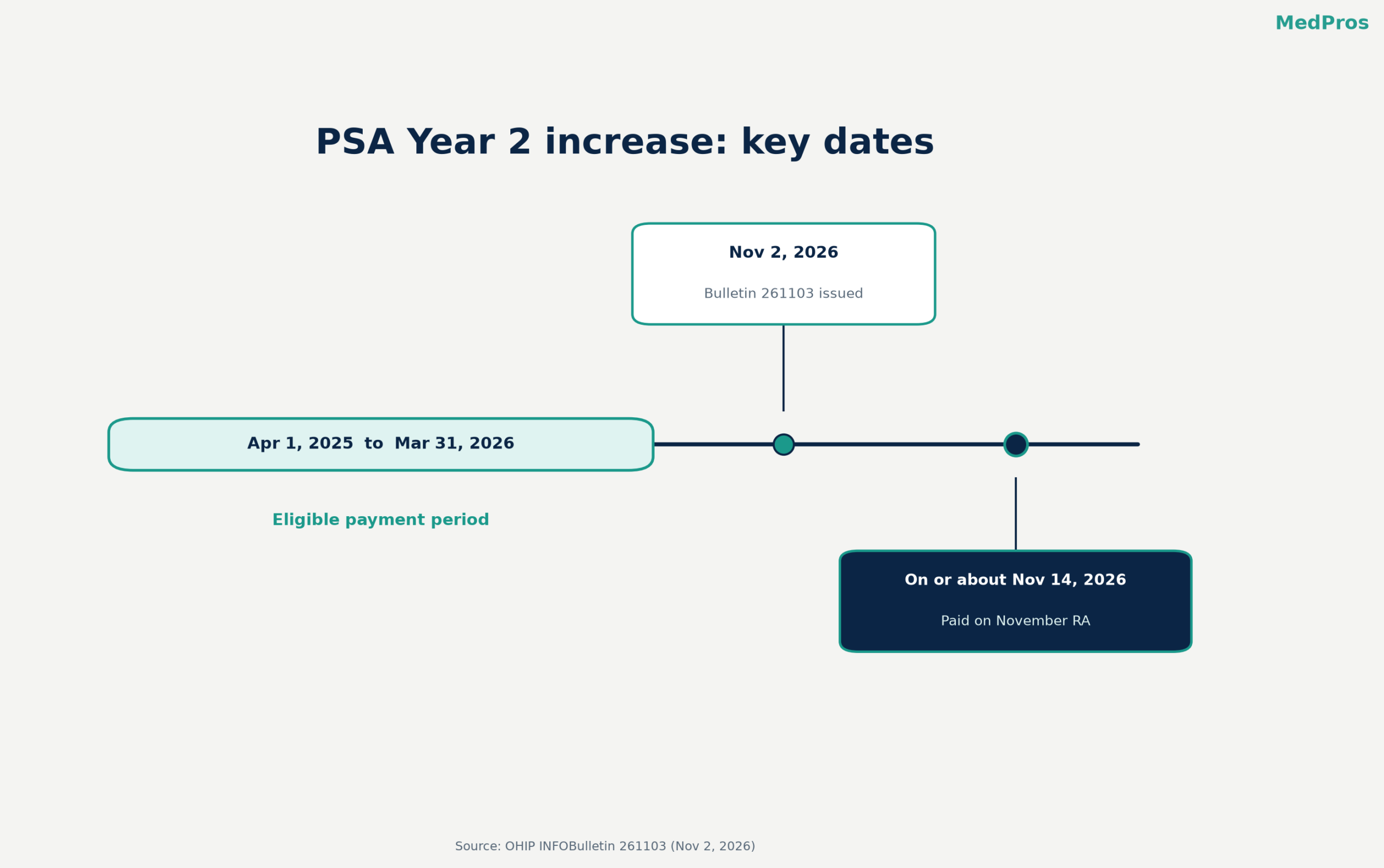
If your November Remittance Advice (RA) looks bigger than usual, there’s a reason. The Ministry of Health is paying the Year 2 increase under the 2024 Physician Services Agreement (PSA) as a one-time payment on the November 2026 RA. The ministry set this out in OHIP INFOBulletin 261103, issued November 2, 2026.
Here’s what it is, how it shows up and what to check.
What the increase is
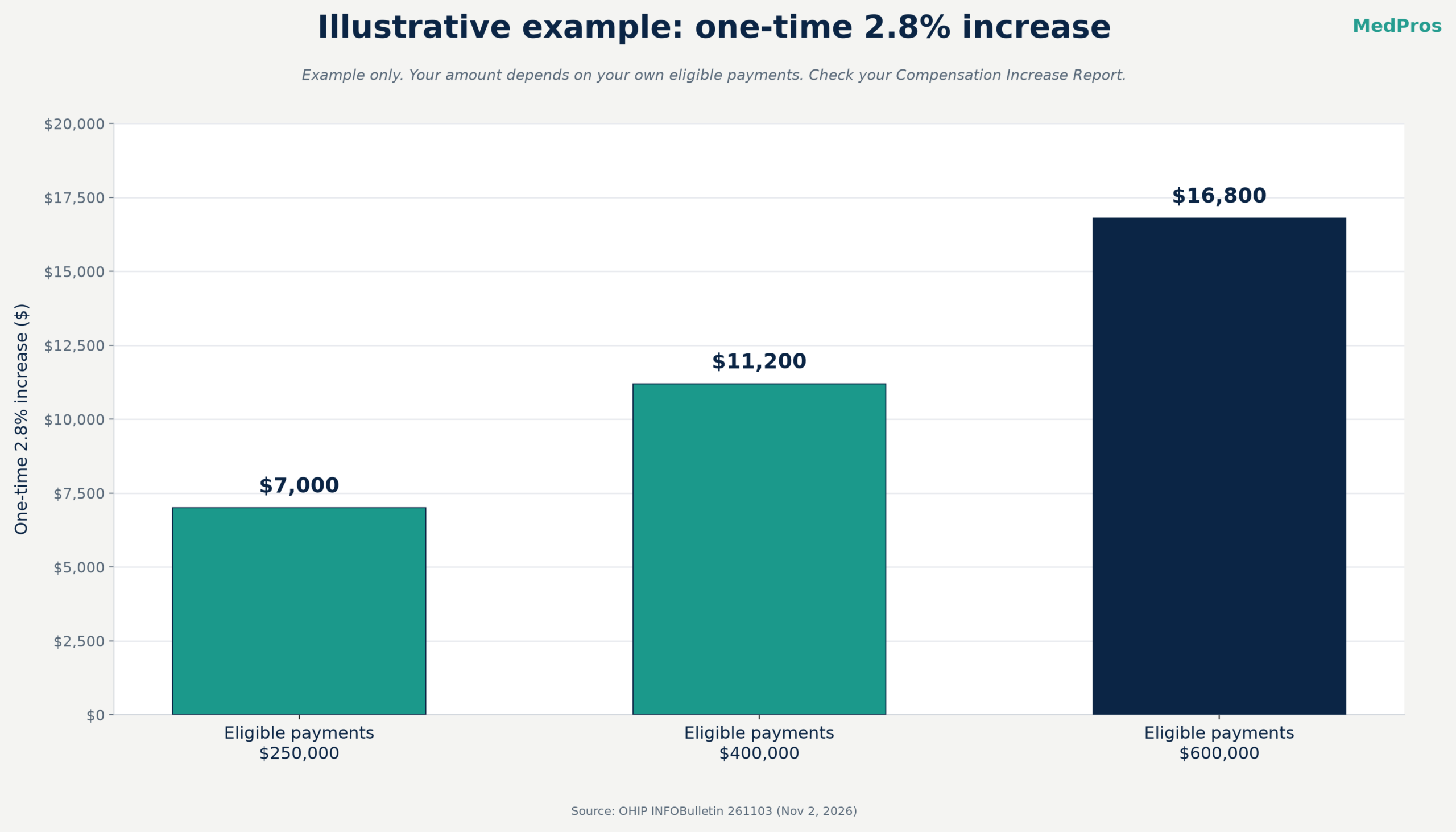
The ministry and the Ontario Medical Association (OMA) have been putting the 2024 PSA compensation increases in place. For Year 2, the bulletin describes a 2.8% across-the-board increase on physician payments for April 1, 2025 to March 31, 2026, building on the increases from Year 3 of the 2021 PSA and Year 1 of the 2024 PSA. It includes any relativity payments made during that period.
That 2.8% is the Year 2 piece of the arbitration award for Years 2 to 4 of the 2024-28 PSA, which the OMA announced in September 2025.
Two points matter for your books:
- It’s a one-time payment. The bulletin says the 2025-2026 increases don’t raise fee code values in the Schedule of Benefits or the compensation amounts in funding agreements. Don’t expect it to repeat on later RAs.
- There’s no appeal. The ministry and the OMA calculated the percentage and the payments using a methodology they agreed under the PSA, and that methodology has no appeal process for physicians who dispute the amount.
What it applies to, and what’s excluded
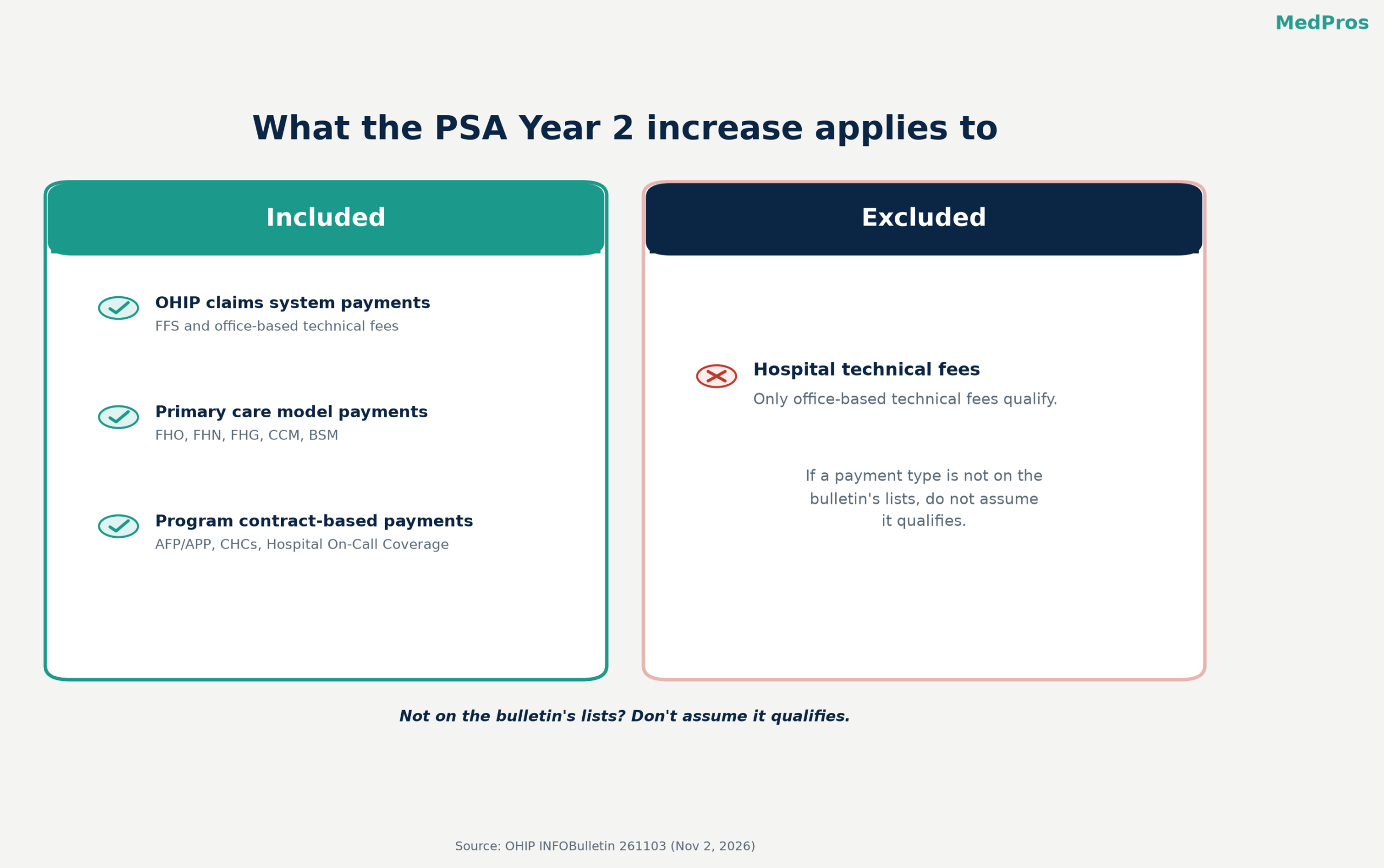
The bulletin lists the eligible payments in three groups:
- OHIP claims system payments. These include professional fee-for-service payments, office-based technical fees, ICHSC facility fees, specialist contract payments tied to the claims system through shadow billing, Community Palliative Care On-Call Coverage, and certain Ministry of the Attorney General and Ministry of Children, Community and Social Services payments (K codes).
- Primary care payments. These cover the models and programs listed in the bulletin, including FHO, FHN, FHG, CCM, the Blended Salary Model, and the income stabilization versions of FHO, FHN and BSM. The increase applies to eligible physician payments in the period.
- Program contract-based payments made outside the Medical Claims Payment System, such as AFP and APP contracts, CHCs, Hospital On-Call Coverage, RNPGA, locum programs and others.
One exclusion is spelled out: hospital technical fees don’t get the increase. Only office-based technical fees do. If a payment type isn’t on the bulletin’s lists, don’t assume it qualifies.
When and how it shows up
- Date: if you receive an RA, the payment should be deposited on or about November 14, 2026.
- On the RA: it appears as an accounting adjustment for the Year 2 (2025-2026) Compensation Increase. The amount is shown at the solo physician or group level, depending on how the ministry processed your payment. The bulletin doesn’t give a separate explanatory code.
- The detail: a separate Compensation Increase Report comes through MCEDT. For solo physicians, it breaks down Total Payments, Percent Increase and Compensation Increase by Clinic Code and Payment Element (for example, professional fee-for-service). The group report shows the same columns by Payment Element (for example, Access Bonus Payment) and for each physician affiliated with the group during the period.
- Contract-based payments made outside the claims system get the increase on their regular monthly payment date, or as soon as practicable.
- Retired or deceased physicians: payment goes to the solo bank account on file if it’s still open. Otherwise the ministry mails a cheque to the physician (or “Estate of”) at the RA address on file.
What to check on your November RA
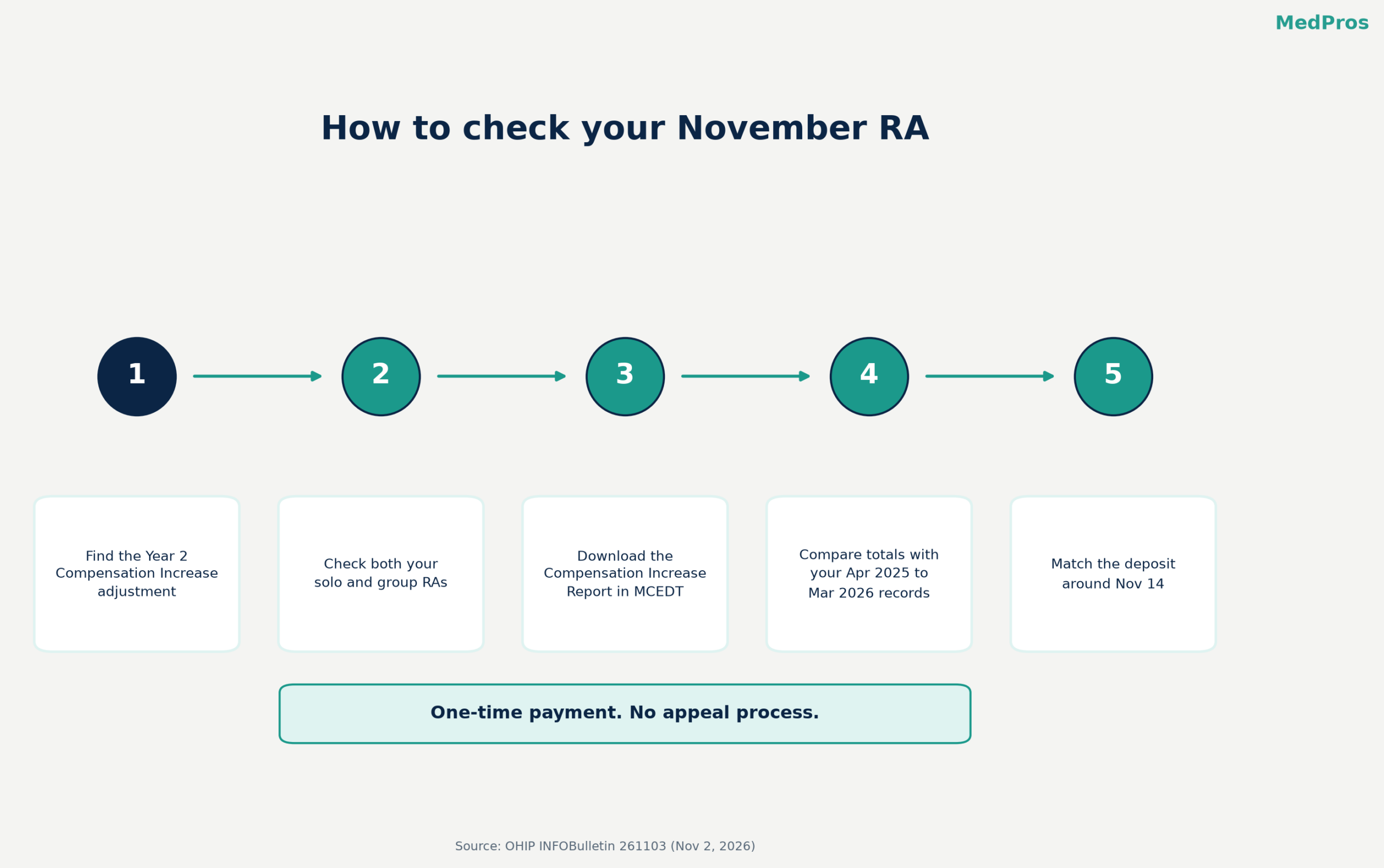
- Find the adjustment. Look for the Year 2 (2025-2026) Compensation Increase accounting adjustment on the November RA.
- Check your solo and group RAs. If you bill under a group, the payment may sit on the group RA instead of your solo RA, or the other way around.
- Download the Compensation Increase Report from MCEDT. If a billing agent or office manager handles your downloads, make sure they have permission to view or download this report. The bulletin says physicians must grant that permission if they haven’t already.
- Compare the report with your own records. Line up the Total Payments for each clinic code and payment element with what you were paid from April 1, 2025 to March 31, 2026.
- Look for clinic codes you expected to see. If you worked under more than one clinic code in the period, each one should be listed in the solo report.
- Match the deposit. Check that the deposit around November 14 matches the RA total.
- Book it as a one-time item so it doesn’t skew forecasts.
Common reasons the amount looks off
- It’s on the other RA. Group-processed amounts show at the group level, so check the group RA and the per-physician lines in the group report.
- Some of your income is contract-based. AFP, APP, on-call and other program payments outside the claims system are paid on their own schedule, not on your RA.
- Hospital technical fees are in your total. They’re excluded, so they shouldn’t count toward the increase.
- Your records are set up differently. The report is based on payments made during the period, broken out by clinic code and payment element. A spreadsheet organized by month of service or by location may not line up line for line.
- Your designee can’t see the report. Your billing support may be working from the RA alone because MCEDT permission for the report hasn’t been granted.
With no appeal process, reconciling is mostly about understanding and recording the payment correctly. For questions, the bulletin directs questions to the Service Support Contact Centre at SSContactCentre.MOH@ontario.ca or 1-800-262-6524.
Need a second set of eyes?
Our billing team reviews RAs for our clients every month, and we can help you reconcile your November RA and Compensation Increase Report too. Learn more at MedPros or email info@medpros.ca.
Sources
- Ministry of Health: OHIP INFOBulletin 261103, 2024 Physician Services Agreement year 2 increases (November 2, 2026)
- OMA: Arbitration award for Years 2-4 of agreement with Ontario doctors announced (September 18, 2025)
This is general information for Ontario physicians and clinics. It isn’t financial, accounting or legal advice for a specific practice. Check the ministry bulletin and your own RA and reports before you make decisions.